Pool, puddle, sink — and then there's the ocean. Salt water is in its own category because what kills phones is rarely the water itself, but the corrosion it starts.
"Waterproof" phones aren't salt-water-proof
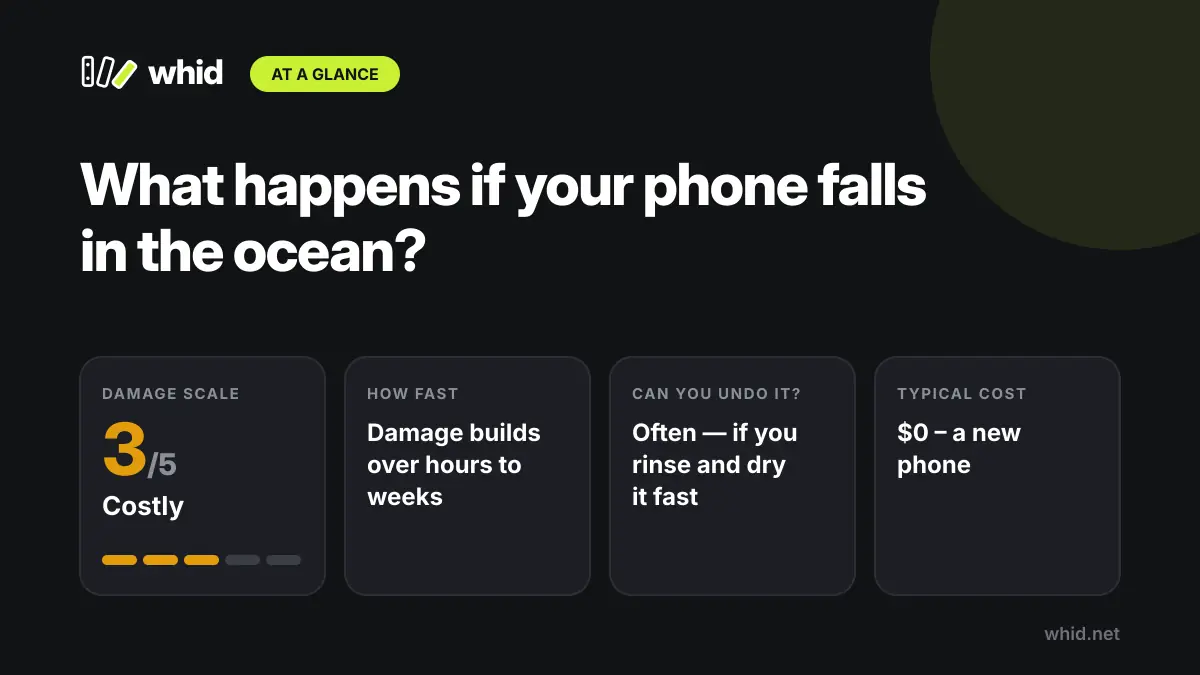
Modern flagships carry IP67 or IP68 ratings, which means they passed lab tests for submersion in still, fresh water for a set time and depth. Seawater, waves, sand and sunscreen aren't part of that test, and the seals that keep water out get weaker with age and drops. Phone makers say water resistance isn't permanent and liquid damage typically isn't covered by warranty.
Why rinsing with tap water is the right move
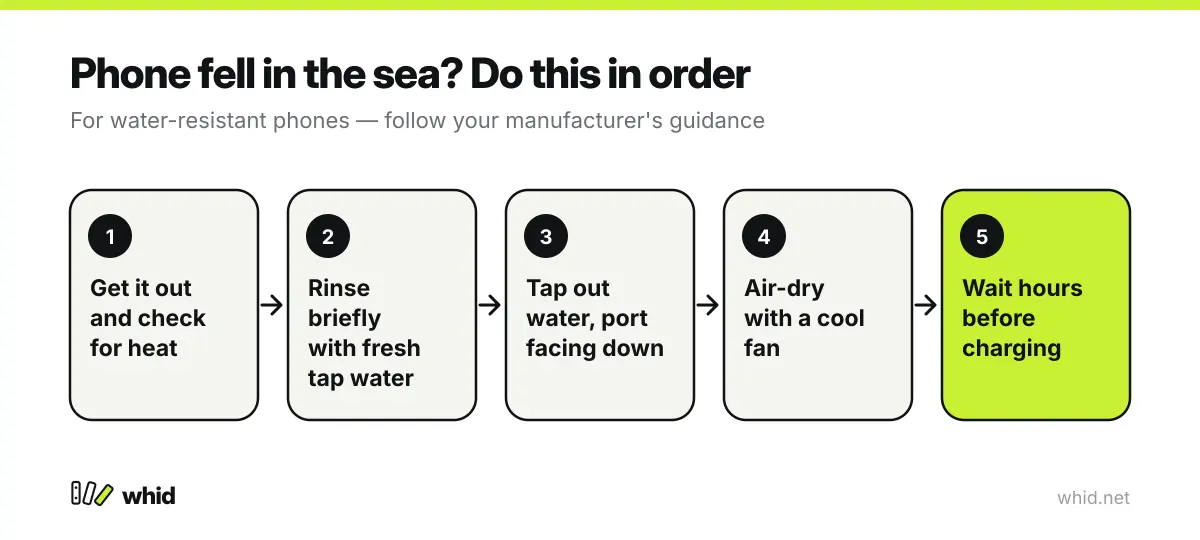
It sounds backwards, but manufacturers of water-resistant phones advise rinsing the device with fresh tap water after it has been exposed to liquids other than plain water, such as seawater. The goal is to wash the salt off before it dries into the ports. Do this only with a water-resistant phone that is undamaged — a short rinse, not a bath.
Drying it properly
Hold the phone with the charging port facing down and tap it gently against your hand to get liquid out. Wipe it with a soft, lint-free cloth and leave it somewhere dry with good airflow — a cool fan is ideal. Remove the case and SIM tray so they can dry too.
When to get help
If the phone isn't water-resistant, won't turn on, got hot, or starts misbehaving in the following days, take it to an authorised repair shop and ask for a corrosion clean. The sooner contacts are cleaned, the better the chance of saving the board — and your data. Back up the phone as soon as it works.